
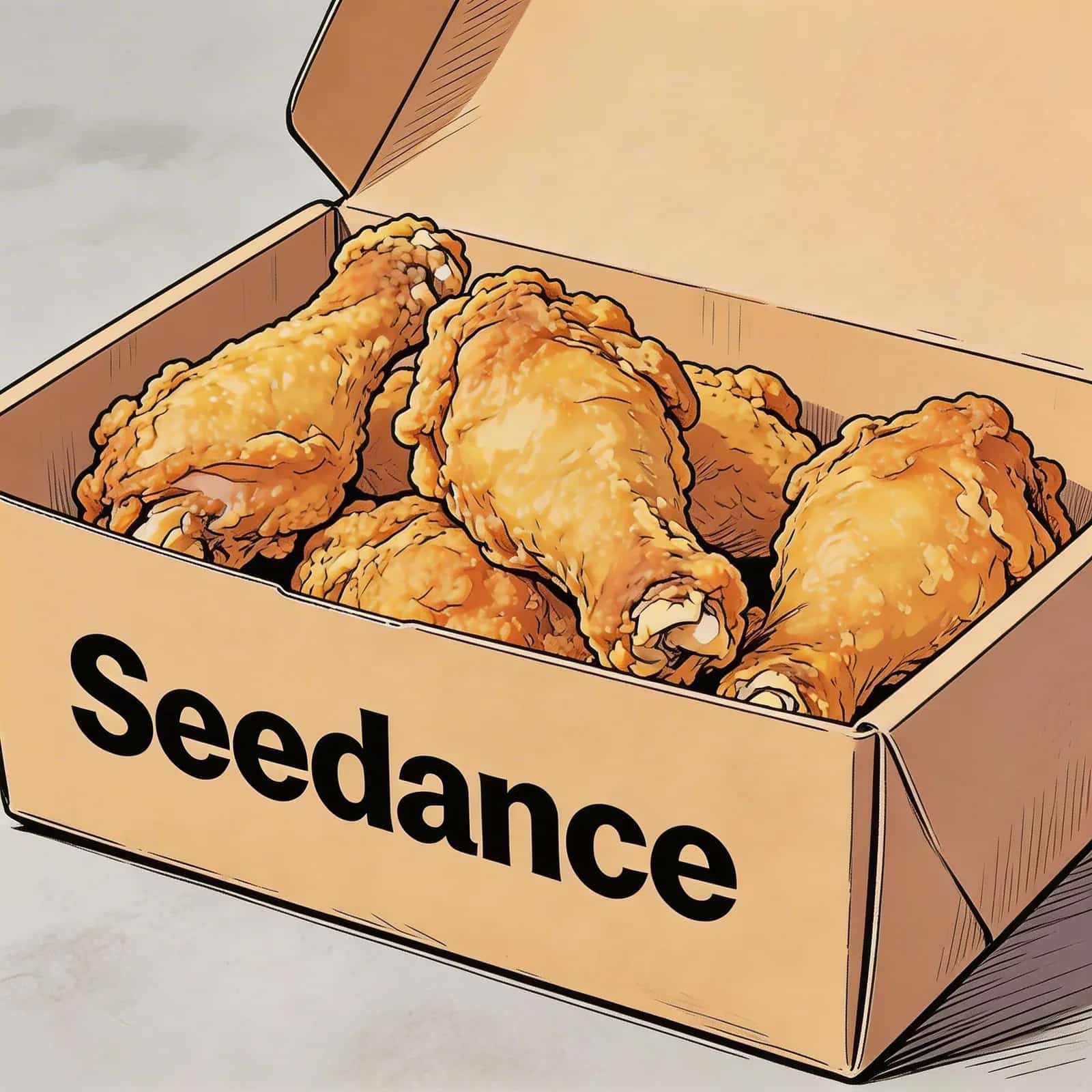

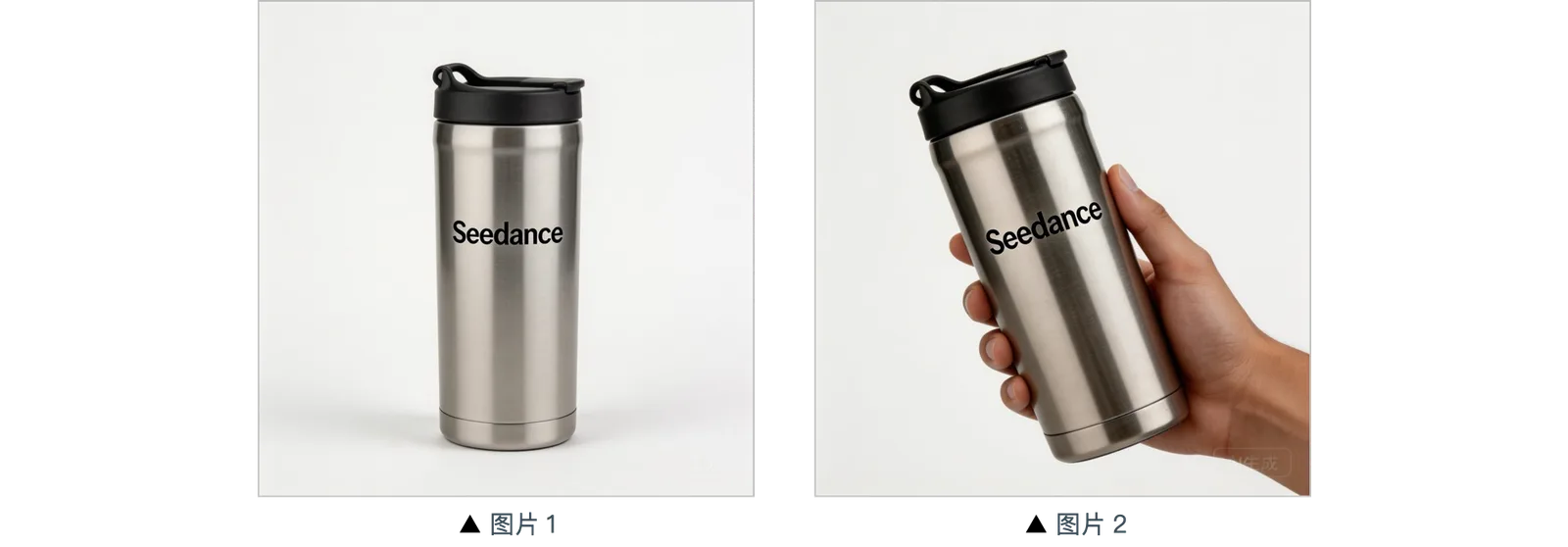
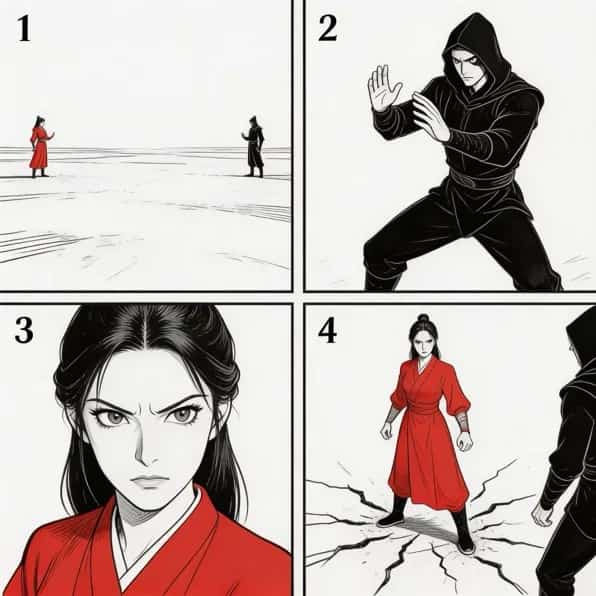
Seedance 3.0 AI Video Generator

Try Seedance 3.0 online in a focused workspace for multimodal AI video creation. Use text, images, video, and audio as creative references, produce native 4K output, and generate videos up to 30 seconds in a single generation.

Creative input

Text · Image · Video · Audio

Output

Native 4K

Duration

Up to 30 Seconds

Featured model: Seedance 3.0

Create AI Videos with Seedance 3.0

Create with the capabilities that distinguish Seedance 3.0: combine text, image, video, and audio references, build scenes up to 30 seconds long in one generation, and select native 4K when you need the highest-quality image.

Creative Studio

Turn an idea into a finished video

5s720p16:9

Text to Video, Seedance 3.0, 5 seconds,720p, 16:9

What Is Seedance 3.0?

Give Seedance 3.0 the images, video, and audio you want it to learn from, then use a text prompt to explain the subject, action, camera, mood, and sound you want. It combines those references with your instructions to create a video that is closer to the idea in your head, without forcing one long prompt to describe every visual detail.

Combine Text, Images, Video, and Audio

Use text to describe the result, images to define a person, product, or visual style, video to demonstrate movement and camera rhythm, and audio to guide speech, music, or atmosphere. Giving each input a clear role reduces guesswork and makes the first generation easier to direct.

Keep Characters, Products, and Style Consistent

Separate references can establish a character’s appearance, a product’s physical details, the environment, lighting, movement, and sound. This gives the model clearer visual boundaries and helps related shots feel like parts of the same project instead of unrelated clips.

Create a More Complete Video

When an idea needs more room, a single generation can carry an opening, development, and ending for up to 30 seconds. Native 4K can preserve more detail in products, lighting, typography, and close-ups, giving you a fuller video to continue editing or prepare for publishing.

Seedance 3.0 vs Seedance 2.0

Seedance 2.0 already supports multimodal creation. Seedance 3.0 expands that foundation for longer scenes, a much larger reference stack, stronger visual detail, and more complete scene planning.

Longer Single Generations: Up to 30 SecondsSeedance 2.0 is configured for 4–15-second generation. Seedance 3.0 extends a single generation to 30 seconds, leaving more room for a setup, camera movement, primary action, transition, and ending beat. A longer canvas makes it easier to plan one coherent sequence instead of splitting the same idea into several short tests.
A Larger Multimodal Reference StackSeedance 2.0 supports up to 9 images, 3 videos, and 3 audio files. Seedance 3.0 expands this to 50 materials: up to 44 images, 3 videos, and 3 audio files. The larger reference set can separate character, product, environment, movement, and sound direction into clearly defined source groups.
Native 4K with Stronger Visual DetailSeedance 3.0 combines longer generation and richer reference input with native 4K output and stronger visual detail. This gives creative teams more information to inspect in product textures, close-ups, launch media, lighting, and cinematic framing during review.
More Complete Scene PlanningThe longer duration and larger reference stack make it easier to plan a complete scene instead of a short test clip. Seedance 3.0 is also positioned for 3D spatial pre-visualization and camera blocking when subject placement, camera paths, and movement direction matter to the concept.

Seedance 3.0 Use Cases for Real Production Goals

TikTok Entertainment Clips and Visual Effects

Create vertical videos designed to earn attention quickly: playful transformations, surreal effects, music-led edits, stylized character moments, or trend-inspired mini stories. Images can establish the subject and look, motion references can guide the effect or performance, and audio can set the rhythm.

Amazon Product Demonstrations for E-Commerce

Build a clear, product-led video from authorized packshots, material details, packaging, and usage references. Show what the item looks like, how it is used, and which physical details matter to a buyer, without distracting effects or unsupported claims. The benefit is a more informative e-commerce asset that helps shoppers understand the product before purchase.

IP, Animation, and Creative Storytelling

Bring together character, style, setting, or motion references to explore animated scenes, character-led stories, brand visuals, and other creative directions. The references can help communicate the look and movement you have in mind while leaving room to try different scenes, styles, and narrative ideas.

Film, Advertising, and Campaign Previsualization

Use a 30-second generation to test composition, spatial relationships, camera paths, action, transitions, and the ending before a shoot. Image, video, and audio references can guide environment, movement, and sound separately; 3D spatial previsualization and camera staging help teams discuss subject placement and shot direction earlier.

How to Plan and Prompt a Seedance 3.0 Generation

This workflow combines production planning with prompt writing: define the publishing goal, organize the visual sequence and reference media, choose suitable output settings, then write one clear set of scene instructions.

  1. 01

    Define the publishing goal

    Decide whether you are creating a social media video, an e-commerce video, an entertaining short, a pet effects clip, a storyboard, or another kind of creative content. The goal determines the useful aspect ratio, pacing, duration, and level of visual detail.

  2. 02

    Plan the visual sequence

    Divide the idea into an opening, development, and ending. State when the subject appears, when the camera changes, and what the final frame should communicate instead of filling the scene with unrelated actions.

  3. 03

    Build a purposeful reference set

    Choose only authorized images, videos, and audio. Give each source a job—product shape, material, character appearance, location, motion, camera treatment, or sound direction—even though Seedance 3.0 can accept as many as 50 materials.

  4. 04

    Select output settings

    Match duration, aspect ratio, and resolution to the publishing goal. Use native 4K when detail is part of the review or delivery requirement; a fast social concept may not need the same output setting as a product close-up.

  5. 05

    Write a Clear, Structured Prompt

    Subject + Setting + Action + Camera + Light

    A practical formula is subject + setting + action + camera + light. For example: “A ceramic robot waits at an empty bus stop at dawn, looks toward an approaching light, slow push-in, cool mist with warm reflections.” Each instruction has a clear role in the scene.

How Creative Teams Could Use Seedance 3.0

Explore ten role-based ways to plan film, animation, music-video, brand, editing, and social creative with Seedance 3.0.

5 out of 5 stars

I would use motion and camera references to test whether a tracking shot, reveal, and ending frame can stay visually connected across a longer scene.

Marcus Rodriguez

Filmmaker

5 out of 5 stars

Combining character images, movement clips, and audio references could give an animation team clearer source material for one 30-second sequence.

Jessica Liu

Animation Director

5 out of 5 stars

A larger reference set would let my team separate wardrobe, product, environment, lighting, and camera direction instead of forcing everything into one image.

Emily Watson

Creative Director

5 out of 5 stars

I would describe the subject, action, camera path, light, and final frame in sequence, then use the references to anchor the visual details that matter.

Mohammed Hassan

Digital Artist

5 out of 5 stars

Audio references could help define rhythm and performance timing while image and video sources establish the performer, location, and camera language.

Alex Turner

Music Video Director

5 out of 5 stars

I would use motion and camera references to test whether a tracking shot, reveal, and ending frame can stay visually connected across a longer scene.

Marcus Rodriguez

Filmmaker

5 out of 5 stars

Combining character images, movement clips, and audio references could give an animation team clearer source material for one 30-second sequence.

Jessica Liu

Animation Director

5 out of 5 stars

A larger reference set would let my team separate wardrobe, product, environment, lighting, and camera direction instead of forcing everything into one image.

Emily Watson

Creative Director

5 out of 5 stars

I would describe the subject, action, camera path, light, and final frame in sequence, then use the references to anchor the visual details that matter.

Mohammed Hassan

Digital Artist

5 out of 5 stars

Audio references could help define rhythm and performance timing while image and video sources establish the performer, location, and camera language.

Alex Turner

Music Video Director

5 out of 5 stars

I would use motion and camera references to test whether a tracking shot, reveal, and ending frame can stay visually connected across a longer scene.

Marcus Rodriguez

Filmmaker

5 out of 5 stars

Combining character images, movement clips, and audio references could give an animation team clearer source material for one 30-second sequence.

Jessica Liu

Animation Director

5 out of 5 stars

A larger reference set would let my team separate wardrobe, product, environment, lighting, and camera direction instead of forcing everything into one image.

Emily Watson

Creative Director

5 out of 5 stars

I would describe the subject, action, camera path, light, and final frame in sequence, then use the references to anchor the visual details that matter.

Mohammed Hassan

Digital Artist

5 out of 5 stars

Audio references could help define rhythm and performance timing while image and video sources establish the performer, location, and camera language.

Alex Turner

Music Video Director

5 out of 5 stars

I would use motion and camera references to test whether a tracking shot, reveal, and ending frame can stay visually connected across a longer scene.

Marcus Rodriguez

Filmmaker

5 out of 5 stars

Combining character images, movement clips, and audio references could give an animation team clearer source material for one 30-second sequence.

Jessica Liu

Animation Director

5 out of 5 stars

A larger reference set would let my team separate wardrobe, product, environment, lighting, and camera direction instead of forcing everything into one image.

Emily Watson

Creative Director

5 out of 5 stars

I would describe the subject, action, camera path, light, and final frame in sequence, then use the references to anchor the visual details that matter.

Mohammed Hassan

Digital Artist

5 out of 5 stars

Audio references could help define rhythm and performance timing while image and video sources establish the performer, location, and camera language.

Alex Turner

Music Video Director

5 out of 5 stars

A single 30-second generation would give me more material to evaluate for pacing, transitions, and a clean closing beat before planning the final edit.

Olivia Martinez

Video Editor

5 out of 5 stars

I would use the 30-second canvas to give a campaign concept an opening, a product moment, one meaningful transition, and a closing beat in the same sequence.

Maya Chen

Campaign Producer

5 out of 5 stars

The expanded reference capacity could help organize product packshots, visual identity, character cues, motion examples, and audio direction before generation.

Sofia Laurent

Brand Designer

5 out of 5 stars

I would choose native 4K when a product film needs close review of framing, light, material texture, labels, and other details that can disappear at lower resolution.

Daniel Okafor

Commercial Director

5 out of 5 stars

For TikTok testing, I would plan a fast vertical hook and shorter cutdowns; for an Amazon product video, I would prioritize accurate details and a readable product sequence.

Priya Nair

Growth Creative Lead

5 out of 5 stars

A single 30-second generation would give me more material to evaluate for pacing, transitions, and a clean closing beat before planning the final edit.

Olivia Martinez

Video Editor

5 out of 5 stars

I would use the 30-second canvas to give a campaign concept an opening, a product moment, one meaningful transition, and a closing beat in the same sequence.

Maya Chen

Campaign Producer

5 out of 5 stars

The expanded reference capacity could help organize product packshots, visual identity, character cues, motion examples, and audio direction before generation.

Sofia Laurent

Brand Designer

5 out of 5 stars

I would choose native 4K when a product film needs close review of framing, light, material texture, labels, and other details that can disappear at lower resolution.

Daniel Okafor

Commercial Director

5 out of 5 stars

For TikTok testing, I would plan a fast vertical hook and shorter cutdowns; for an Amazon product video, I would prioritize accurate details and a readable product sequence.

Priya Nair

Growth Creative Lead

5 out of 5 stars

A single 30-second generation would give me more material to evaluate for pacing, transitions, and a clean closing beat before planning the final edit.

Olivia Martinez

Video Editor

5 out of 5 stars

I would use the 30-second canvas to give a campaign concept an opening, a product moment, one meaningful transition, and a closing beat in the same sequence.

Maya Chen

Campaign Producer

5 out of 5 stars

The expanded reference capacity could help organize product packshots, visual identity, character cues, motion examples, and audio direction before generation.

Sofia Laurent

Brand Designer

5 out of 5 stars

I would choose native 4K when a product film needs close review of framing, light, material texture, labels, and other details that can disappear at lower resolution.

Daniel Okafor

Commercial Director

5 out of 5 stars

For TikTok testing, I would plan a fast vertical hook and shorter cutdowns; for an Amazon product video, I would prioritize accurate details and a readable product sequence.

Priya Nair

Growth Creative Lead

5 out of 5 stars

A single 30-second generation would give me more material to evaluate for pacing, transitions, and a clean closing beat before planning the final edit.

Olivia Martinez

Video Editor

5 out of 5 stars

I would use the 30-second canvas to give a campaign concept an opening, a product moment, one meaningful transition, and a closing beat in the same sequence.

Maya Chen

Campaign Producer

5 out of 5 stars

The expanded reference capacity could help organize product packshots, visual identity, character cues, motion examples, and audio direction before generation.

Sofia Laurent

Brand Designer

5 out of 5 stars

I would choose native 4K when a product film needs close review of framing, light, material texture, labels, and other details that can disappear at lower resolution.

Daniel Okafor

Commercial Director

5 out of 5 stars

For TikTok testing, I would plan a fast vertical hook and shorter cutdowns; for an Amazon product video, I would prioritize accurate details and a readable product sequence.

Priya Nair

Growth Creative Lead

New Member Rate

Save 50%

50% off your first annual plan — applied automatically, no codes.

Pricing

Choose a plan to buy credits

Billed annually. Cancel anytime.

BASIC

Perfect for quick tests and first projects when you are just getting started

$29.80$14.90
/mo
$179/Year50% OFF
14,400 credits/Year100 credits ≈ $1.24
  • 1,200 credits/month

  • Up to 60 videos/month

  • Up to 240 images/month

  • Seedance 2.01x Credits

  • Nano Banana Pro

  • All AI Video Models

  • AI Music

  • Private Generation

  • Ad-Free

  • Commercial License

  • Priority Queue

  • Priority Support

  • Unlimited Storage

  • API access (credits shared with web)

STANDARD

Best for professionals and frequent creators

$49.80$24.90
/mo
$299/Year50% OFF
30,000 credits/Year100 credits ≈ $1.00
  • 2,500 credits/month

  • Up to 125 videos/month

  • Up to 500 images/month

  • Seedance 2.01x Credits

  • Nano Banana Pro

  • All AI Video Models

  • AI Music

  • Private Generation

  • Ad-Free

  • Priority Queue

  • Commercial License

  • Priority Support

  • Unlimited Storage

  • API access (credits shared with web)

🏆 Best Value

PRO

The next step up for serious creators

$99.80$49.90
/mo
$599/Year50% OFF
72,000 credits/Year100 credits ≈ $0.83
  • 6,000 credits/month

  • Up to 300 videos/month

  • Up to 1,200 images/month

  • Seedance 2.01x Credits

  • Seedance 3.0Annual Pro / Max

  • Nano Banana Pro

  • All AI Video Models

  • AI Music

  • Private Generation

  • Ad-Free

  • Priority Queue

  • Priority Support

  • Commercial License

  • Unlimited Storage

  • API access (credits shared with web)

MAX

For high-volume creators who need maximum credits

$199.80$99.90
/mo
$1,199/Year50% OFF
156,000 credits/Year100 credits ≈ $0.77
1x5x
  • 13,000 credits/month

  • Up to 650 videos/month

  • Up to 2,600 images/month

  • Seedance 2.01x Credits

  • Seedance 3.0Annual Pro / Max

  • Nano Banana Pro

  • All AI Video Models

  • AI Music

  • Private Generation

  • Ad-Free

  • Priority Queue

  • Priority Support

  • Commercial License

  • Unlimited Storage

  • API access (credits shared with web)

Single Purchase • No Subscription

Credits are valid for 1 year from purchase. Buy anytime, use anytime.

Starter Pack

Quick top-up for small runs

$39.90
1,400 credits100 credits ≈ $2.85
  • Up to 70 videos

  • Includes all features

  • One-time purchase

  • No subscription required

  • Credits valid for 1 year

🔥 Most Popular

Creator Pack

Popular for regular usage

$79.90
3,200 credits100 credits ≈ $2.50
  • Up to 160 videos

  • Includes all features

  • One-time purchase

  • No subscription required

  • Credits valid for 1 year

Professional Pack

Best for larger batches

$199.90
10,000 credits100 credits ≈ $2.00
  • Up to 500 videos

  • Includes all features

  • One-time purchase

  • No subscription required

  • Credits valid for 1 year

Advanced Pack

Best for high-volume usage

$599
33,000 credits100 credits ≈ $1.82
  • Up to 1,650 videos

  • Includes all features

  • One-time purchase

  • No subscription required

  • Credits valid for 1 year

🏆 Best Value

Power Pack

Best for regular high-volume usage

$999
70,000 credits100 credits ≈ $1.43
  • Up to 3,500 videos

  • Includes all features

  • One-time purchase

  • No subscription required

  • Credits valid for 1 year

Max Pack

Best for high-volume usage

$2,499
180,000 credits100 credits ≈ $1.39
  • Up to 9,000 videos

  • Includes all features

  • One-time purchase

  • No subscription required

  • Credits valid for 1 year

💳 Payment Tip: If you encounter any issues during the payment process, feel free to reach out to us! support@seedances3.com

Seedance 3.0 FAQ

Seedance 3.0 is scheduled for release in late July 2026.

Have more questions? support@seedances3.com

Independent third-party platform

Secure payment processing

Terms and privacy information available

Use only authorized source media

Start Creating with Seedance 3.0

Start with a specific publishing goal, prepare authorized reference assets, choose the duration and output target, and turn one product, story, or campaign idea into a Seedance 3.0 video.