Wan 2.7

Wan 2.7은 텍스트, 이미지, 미디어-비디오, 영상 편집 워크플로를 지원합니다

0/5000
5
고급 설정
1

여러 영상을 한 번에 생성할 수 있으며 크레딧은 수량에 따라 증가합니다
예시
배경

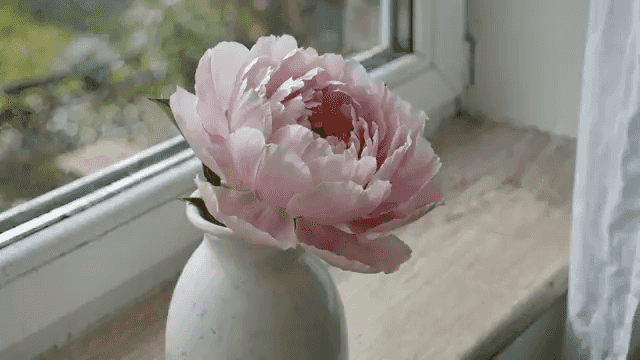
꽃이 2주 동안 피고 시드는 모습을 하루에 한 장씩 촬영합니다. 같은 꽃병, 같은 창문, 같은 각도. 빛은 날씨에 따라 달라집니다. 오디오: 조용한 실내 분위기.

아직 영상이 없습니다. 프롬프트를 입력하여 첫 번째 영상을 만들어보세요.

Seedance 3.0 model workspace

Create with Wan 2.7 on Seedance 3.0

Wan 2.7 is available in the Seedance 3.0 video workspace for creators who want a clear path from a written brief to a generated video.

Build the right brief

Use it when you need a focused workspace for turning a concept into a short, shareable video.

Supported workflow

This workspace supports text-to-video, image-to-video, and reference-based video creation. Start with the input that best communicates the scene, then refine the direction in your prompt.

Production details

Available settings include 0, 2, 3, 4, 5, 6, 7, 8, 9, 10, 11, 12, 13, 14, and 15-second durations, 720p and 1080poutput, and 16:9, 9:16, 1:1, 4:3, and 3:4 framing.

What to explore with Wan 2.7

  • text-to-video
  • image-to-video
  • reference-to-video
  • video-edit

Wan 2.7 — FAQ

Key differences between Wan 2.7 modes, media inputs, duration, seed, audio, and prompt expansion.

Media-to-Video lets you upload reference images, videos, and optional audio so Wan 2.7 can use them as source material while generating a new video from your prompt. The uploads guide the look, subject, motion, or sound direction, but the result is still a newly generated video.