Wan 2.7

Video Wan 2.7 con flujos de texto, imagen, medios a video y edición de video

0/5000
5s
Configuración avanzada
1

Genera varios videos a la vez; los créditos aumentan con la cantidad
Ejemplos
Fondo

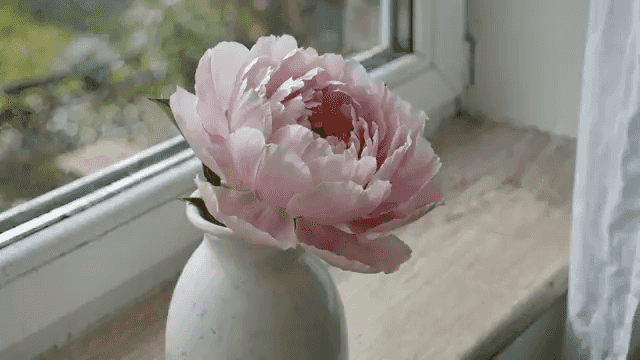
Una flor florece y se marchita durante dos semanas, una foto al día. El mismo jarrón, la misma ventana y el mismo ángulo. La luz cambia con el clima. Audio: ambiente doméstico tranquilo.

Aún no hay videos. Intenta ingresar una indicación para crear tu primer video.

Seedance 3.0 model workspace

Create with Wan 2.7 on Seedance 3.0

Wan 2.7 is available in the Seedance 3.0 video workspace for creators who want a clear path from a written brief to a generated video.

Build the right brief

Use it when you need a focused workspace for turning a concept into a short, shareable video.

Supported workflow

This workspace supports text-to-video, image-to-video, and reference-based video creation. Start with the input that best communicates the scene, then refine the direction in your prompt.

Production details

Available settings include 0, 2, 3, 4, 5, 6, 7, 8, 9, 10, 11, 12, 13, 14, and 15-second durations, 720p and 1080poutput, and 16:9, 9:16, 1:1, 4:3, and 3:4 framing.

What to explore with Wan 2.7

  • text-to-video
  • image-to-video
  • reference-to-video
  • video-edit

Wan 2.7 — FAQ

Key differences between Wan 2.7 modes, media inputs, duration, seed, audio, and prompt expansion.

Media-to-Video lets you upload reference images, videos, and optional audio so Wan 2.7 can use them as source material while generating a new video from your prompt. The uploads guide the look, subject, motion, or sound direction, but the result is still a newly generated video.