HomeSeedance 2.0GuidePricingHistory
Logoseedances3.com

Next-Gen AI Video Creation Platform

AI Video

Seedance 3.0Seedance 2.5Seedance 2.0Seedance 2 MiniSeedance 1.5 ProWan 3.0MiniMax H3Kling 3Kling 4.0
Kling o3Veo 3Kling 2.6AI Music

AI Image

Seedream 5 ProSeedream 5Nano Banana ProNano Banana 2GPT Image 2GPT Image 2.5

Account

Manage Refunds

Help & Resources

PricingBlack Friday DealShowcaseGuideAPIAboutContact
  • 🇺🇸 English
  • 🇨🇳 简体中文
  • 🇭🇰 繁體中文
  • 🇫🇷 Français
  • 🇯🇵 日本語
  • 🇰🇷 한국어
  • 🇩🇪 Deutsch
  • 🇧🇷 Português
  • 🇪🇸 Español
  • 🇦🇪 العربية
  • 🇮🇹 Italiano
  • 🇮🇱 עברית
  • 🇳🇱 Nederlands
  • 🇵🇱 Polski
  • 🇸🇪 Svenska
  • 🇺🇦 Українська
  • 🇹🇷 Türkçe
  • 🇷🇴 Română
  • 🇮🇩 Bahasa Indonesia

© 2026 seedances3.com. All rights reserved.

TermsPrivacyRefund Policy
support@seedances3.com
PricingCreate
LogoSeedance 3.0
Seedance 3.0
NEW
Seedance 2.5
NEW
Seedance 2 Pro
HOT
Seedance 2 Mini
FREE
Wan 3.0
Wild
MiniMax H3
VALUE
Kling 3
GPT ImageGPT Image 2.5
NEW
GPT ImageGPT Image 2
HOT
SeedanceSeedream 5 Pro
Wild
Nano BananaNano Banana Pro
Nano BananaNano Banana 2
AI Music
Invite & Earn
Seedance 2 Showcase
GPT ImageGPT Image 2 Showcase
API
HomeSeedance 2.0GuidePricingHistory
  1. Home
  2. ›
  3. Seedance 2 Mini

Free every day.

Seedance 2.0 Mini AI Video Generator for Fast, Low-Cost Drafts

The quickest and least expensive Seedance 2.0 model: 4–15 second clips at 480p or 720p from text or reference files, with sound included.

Try this
Try this
Try this

Real creations from the community

All Videos
Favorites

No videos yet. Try entering a prompt to create your first video.

Seedance 2.0 Mini guide

What Seedance 2.0 Mini is for

Mini is the fastest and most cost-efficient model in the Seedance 2 family. It generates sooner than Seedance 2 Fast at comparable visual quality and a lower credit cost, which makes it the natural place to test an idea before spending more on a final version.

Clip length
4 to 15 seconds, in whole seconds
Resolution
480p or 720p
Aspect ratio
16:9, 9:16, 1:1, 4:3, 3:4, 21:9 or Adaptive
Inputs
Text, images, video and audio
Reference files
Up to 9 images, 3 videos and 3 audio files
Prompt languages
Chinese, English, Japanese, Indonesian, Spanish, Portuguese

Three jobs Mini does best

Choose Mini when turnaround and cost matter more than maximum resolution.

Prompt testing

Run several versions of a prompt at low cost and keep the one that works.

High-volume production

Produce many short clips for workflows in which speed and budget come first.

Multi-shot stories

Describe each shot in sequence. Mini is strong at multi-shot storytelling.

Draft on Mini, finish on Seedance 2

Mini uses the same @ references and the same limits of 9 images, 3 videos and 3 audio files as the other Seedance 2 models.

Explore at 480p

Begin with short, low-resolution clips to check the subject, the action and the camera move.

Tighten the references

Upload several images of the same character for stronger consistency, and call each asset as @1, @2, @3.

Move up for the final version

When the idea holds, use Seedance 2 Fast or Seedance 2 for 1080p output and the highest visual quality.

What Mini leaves out

Mini gives up a few advanced controls in exchange for speed and price.

No Wild mode

Mini offers Standard and Real modes only.

No fixed lens

The camera cannot be locked, and the model chooses the camera movement.

A 720p ceiling

Output stops at 720p. Seedance 2 Fast and Seedance 2 reach 1080p.

Seedance 2.0 Mini help: inputs, credits, modes and limits

Practical answers for working in the Seedance 2.0 Mini workspace.
Free every day. Each signed-in account gets one 480p · 5s video per day without charge, and no payment method is needed. For more than the daily allowance, invite a friend, and both accounts receive credits as soon as the friend creates a first video. Credits can also be purchased at any time.

Explore more

Seedance 2.0Flagship quality
Seedance 2.5Higher quality
PricingView plans
MiniMax H3
AI Music

Seedance 2 Pro — Fast & Pro quality with media-to-video. Annual subscribers enjoy half-price plans + 1x credit pricing. Monthly and other non-annual users use 1.5x credits.

Img: 0/9|Vid: 0/3|Aud: 0/3
0/10,000
Skill
Real · Available after your first purchase.View Plans
5s
Free every day 

  • • For most scenarios, simply choose Standard mode — it covers the vast majority of creative needs.
  • • When your reference material contains real human faces, switch to Real mode.
  • • Alternatively, use the built-in Avatar Library directly.
Examples
Background
0:00 / 0:00

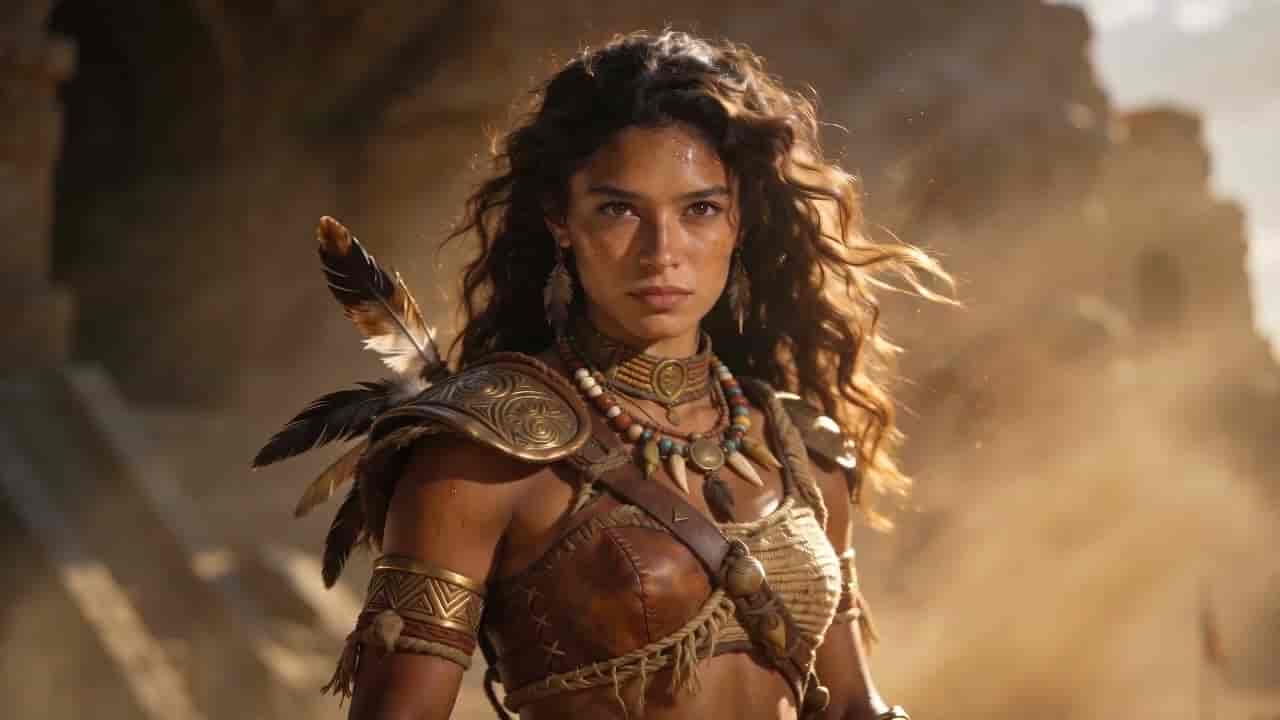
Epic cinematic battlefield video. The scene is set in a vast ancient desert battlefield, with the visual style referencing @4 and the soldiers' outfits referencing @3. Dust-laden wind sweeps across the ground, storm clouds churn overhead, and low sunset light cuts through the scene, creating a heavy, oppressive atmosphere. Open on an extreme wide establishing shot, slowly revealing a massive army standing in orderly formation. At the front of the ranks stands the huge armored war elephant from @2, with the female warrior from @1 seated on its back. She looks calm, stern, and commanding, carrying the presence of a leader guiding the entire army. The camera slowly pushes in from a distance on a dolly move. Flags ripple in the wind, dust floats through the air, and the soldiers make subtle movements, building a realistic pre-battle tension. Cut to a medium shot of the female warrior looking forward as her hair and cloak move in the wind, the frame steady and powerful. Cut to a low-angle shot of the war elephant stepping forward, its footfall kicking up sand and making the ground feel like it trembles. End on a high aerial wide shot as the camera pulls back, revealing the army stretching across the desert battlefield on a massive, awe-inspiring scale.

💡 Tips

  • • Estimated generation time: Fast ~5 min, Pro ~10 min.
  • • Audio requires at least one image or video
  • • Videos and audio: 2–15s each, total duration ≤ 15s
  • • Reference video resolution must not exceed 720p

💡 Tips

  • • Estimated generation time: Fast ~5 min, Pro ~10 min.
  • • Audio requires at least one image or video
  • • Videos and audio: 2–15s each, total duration ≤ 15s
  • • Reference video resolution must not exceed 720p
  • • For most scenarios, simply choose Standard mode — it covers the vast majority of creative needs.
  • • When your reference material contains real human faces, switch to Real mode.
  • • Alternatively, use the built-in Avatar Library directly.
30credits